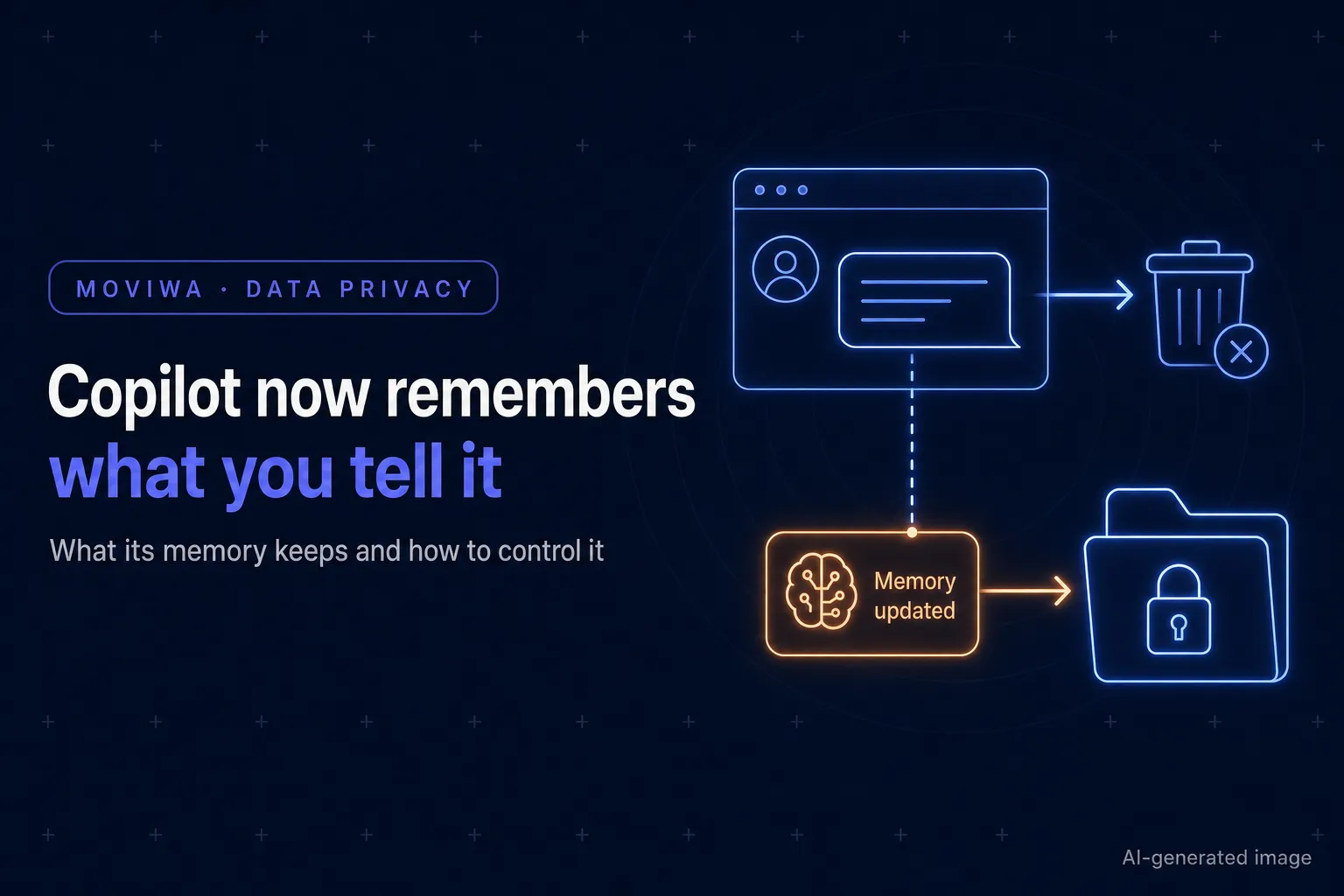
Someone on your team opens Copilot and types: "Remember that our Zaragoza client owes us €80,000 and that we're negotiating with them until the 30th." Copilot replies with a discreet notice: Memory updated.
Two weeks later, that person deletes the conversation. The fact is still there. And the next time they ask Copilot to draft an email to that client, it may use it.
Since 2025, Microsoft 365 Copilot has had memory. It remembers what you tell it from one conversation to the next so it can answer better, and since this autumn it also learns from your chat history and reaches everyone who uses Copilot Chat. That's useful, but it changes one important thing: what you type into Copilot no longer stays in the chat where you typed it. This article explains what it remembers, where it stores it and what your company can control.
What Copilot remembers
According to Microsoft's documentation, Copilot memory has three parts:
- Saved memories. What the person explicitly asks it to remember ("remember that…") and what Copilot detects as important (according to Microsoft, in that case it may ask you before saving it). The chat shows a Memory updated notice.
- Chat history details. What Copilot infers from previous conversations without anyone asking it to save anything: your role, your usual tasks, your work goals.
- Custom instructions. What the person writes in settings so Copilot answers them in a certain way.
With a work account, and depending on the company's Copilot plan, Microsoft adds what it calls work insights: details Copilot learns from email, Teams chats and meeting transcripts.
Microsoft started rolling it out in Copilot Chat in mid-September 2026 and expected to finish by late October, according to its notice MC1158329. It is available to anyone who uses Copilot Chat with or without a paid Microsoft 365 Copilot licence, and it is on by default: if nobody has turned it off, it is already working in your company.
Where it is stored
Memories are stored in a hidden folder in each person's Exchange mailbox. They get the same protections as the rest of the mailbox, such as encryption at rest, but they don't show up in Outlook: the person can only see them from Copilot's settings.
Being in the mailbox has one advantage: IT can find them. Saved memories and those inferred from chat history can be searched with Microsoft Purview eDiscovery. Custom instructions, for now, cannot.
Four things worth knowing
1. Deleting the chat doesn't delete the memory
This is the least expected part. Microsoft says it plainly: deleting a conversation does not delete the saved memories that came from it. They stay until the person deletes them (one by one or all at once) from Settings > Personalization.
Details inferred from chat history disappear on their own, but not straight away: within seven days of deleting all the conversations where that information appeared.
If this sounds familiar, it's because the same happens with other AI tools: "delete" doesn't always mean delete. We explain it in "Delete chat" doesn't delete much.
2. Turning memory off doesn't delete it either
If a person turns off saved memories, Copilot stops using them, but does not delete them. To remove them you have to go in and click Delete all memories.
Chat history works in a similar way: when it's turned off, inferred details are deleted after 30 days. If it's turned back on before then, they come back.
3. Memory has no filter by data type
The documentation asks a direct question: can admins restrict what type of information goes into memory? Microsoft's answer is no.
There is no filter that stops Copilot from saving an ID number, a salary, a sick leave or the amount in a negotiation. If someone types it and Copilot considers it important, it may stay. Within memory, the company can only turn it on or off, for the whole organisation or for a group.
4. What gets logged and what doesn't
If your company has to answer to a client, an auditor or someone exercising their right to erasure, this is worth knowing:
- Audit. Microsoft's documentation states that creating, changing or deleting a memory does not generate entries in the Purview audit log. A later post on Microsoft's security blog ("Guarding AI memory", June 2026) says, on the other hand, that memory changes are logged and can be queried in Defender and Sentinel: check it in your own environment.
- Retention. Copilot's admin page still says Purview retention policies don't apply to memory. A later Microsoft notice (MC1478965) reported that retention support for saved memories had finished rolling out in October 2026. The two sources don't fully agree, so check it in your own environment before taking it for granted. Note: with retention on, a memory that someone changes or deletes may remain in their mailbox for the period your company has set.
- Custom instructions. They can't be searched with eDiscovery. If they need reviewing, the person has to export them manually.
What to do in your company
You don't need to turn memory off. You need to decide, rather than let it arrive switched on without anyone having thought about it.
If you manage Microsoft 365:
- Decide whether you want it. The switch is called Enhanced personalization and is changed through Microsoft Graph, for the whole organisation or for a group. If you turn it off, people can't turn it back on.
- Exclude the most sensitive groups. The setting accepts one Microsoft Entra group: put HR, finance or legal in it, since they handle exactly the kind of data you don't want remembered, and memory is turned off just for them.
- Test that you can find a memory. Run an eDiscovery search on a test account before you actually need it.
- Review retention. Check whether your Purview policy already covers memories, how long the period is and what happens to a deleted memory during that period.
For the whole team:
- Explain that Copilot remembers. Many people don't know. Start with one line in your AI use policy: "Copilot may save what you tell it and use it in other conversations." And update the data protection information you give your staff.
- Show where to see and delete it. In Copilot Chat: Settings > Personalization > Saved memories. Asking Copilot "What do you know about me?" also shows it.
- Use temporary chat when you don't want a conversation to feed memory. Temporary conversations neither read nor update memory. Note: your company may still keep them under its retention policy.
- Don't ask it to remember other people's data. Not clients', not colleagues', and no passwords.
A policy says what shouldn't be done. But, as we explain in «Ya tenemos una política de uso de IA» (in Spanish), a policy without a technical control depends on nobody slipping up on a Tuesday afternoon.
Copilot isn't the only one
ChatGPT, Claude and Gemini also have memory, each with its own rules. The logic is the same in all of them: what reaches the AI can stay longer and in more places than it seems, and what is remembered comes back in other conversations.
That's why, in ChatGPT, Claude and Gemini, the simplest control isn't in the memory but before it: what never reaches the AI can't be remembered.
Where Moviwa fits
Moviwa works in the browser, right before you click "Send" in ChatGPT, Claude or Gemini. It does not currently cover Microsoft 365 Copilot: there, the controls are the settings described above. And the work insights Copilot learns from email, Teams and meetings don't go through any chat, so no browser control can intercept them.
In those three tools, it analyses text instantly and attachments in a few seconds. If it detects personal data or credentials, it offers to replace them with reversible tokens prefixed TK_ or to cancel sending.
The AI works with the full context; the name and the ID number never reach the AI provider. And what doesn't reach it can't end up in ChatGPT's, Claude's or Gemini's memory. Confidential business content, such as an internal figure, is for now detected and logged, but not hidden. When the answer comes back, the tokens are restored and the person sees the text with their real data.
- It protects what is typed and what is pasted. And, with the Pro licence, attachments too: PDF, Word, Excel, images and screenshots.
- It doesn't force you to block. It replaces the data and the person carries on with their task.
- It gives you the evidence. The audit log records what was detected and what was decided, so you can show it to a client or an auditor.
- It controls the data, not the people. It doesn't record conversations. It only acts when it detects sensitive data about to leave, and, depending on the policy your company sets, the final decision rests with the sender. As with any control over digital tools, tell your staff beforehand what it analyses and why.
In short
Microsoft 365 Copilot now remembers what you tell it, is on by default and also reaches people without a paid licence. Memories are stored in each person's mailbox, aren't deleted when the chat is deleted or the feature is turned off, and your company can't filter what goes into them.
That's no reason to turn Copilot off. It's a reason to decide whether you want memory, tell your team it exists and, in the other AI tools your team uses, put the control before the data leaves.
Moviwa is Montevive AI's product for controlling data when using AI tools. More at moviwa.ai · Published 19 November 2026.
Sources
All accessed on 18 November 2026.
- Microsoft Learn, Manage Copilot personalization and memory (updated September 2026): memory types, Exchange storage, deletion, eDiscovery, audit and admin controls.
- Microsoft Learn, Microsoft Copilot enhanced personalization control: the enhanced personalization switch in Microsoft Graph.
- Microsoft Security Blog, Guarding AI memory (22 June 2026): logging of memory changes in audit logs, queryable in Defender and Sentinel.
- Microsoft Support, Personalize what Microsoft Copilot remembers: work insights (email, Teams, meetings), how to view and delete memories, and temporary chat.
- Microsoft message center, MC1158329: Microsoft 365 Copilot: Updates to memory and personalization (updated 1 September 2026), text archived at mc.merill.net: rollout dates.
- Microsoft message center, MC1478965: Microsoft Purview: Data Lifecycle Management – Retention for Copilot Memory (24 September 2026, updated 22 October 2026), text archived at mc.merill.net: retention of saved memories.
Earlier articles
- "Delete chat" doesn't delete much: what Anthropic, OpenAI and the rest actually keep.
- «Ya tenemos una política de uso de IA» (in Spanish): why a policy needs a technical control.
- Why your DLP can't see what gets pasted into an AI chat: the DLP blind spot and which control does see it.
Try the technology: you can see how Moviwa detects sensitive data right now, with no signup, using our free anonymizer. It runs in your browser and no data leaves your computer.
Protect your whole team. Book a demo of about 30 minutes: we'll show you Moviwa with your own use case and how to roll it out to your team.
This article describes how Microsoft 365 Copilot memory works according to Microsoft's public documentation as of 18 November 2026. Microsoft's admin documentation still describes it as a preview, although the message center announced general availability, and it may change: check the settings in your own environment. It is for information only and does not constitute legal advice. The featured image was generated with AI.